Alerts
Set alerts.enabled = true in config.toml to run the alert engine.
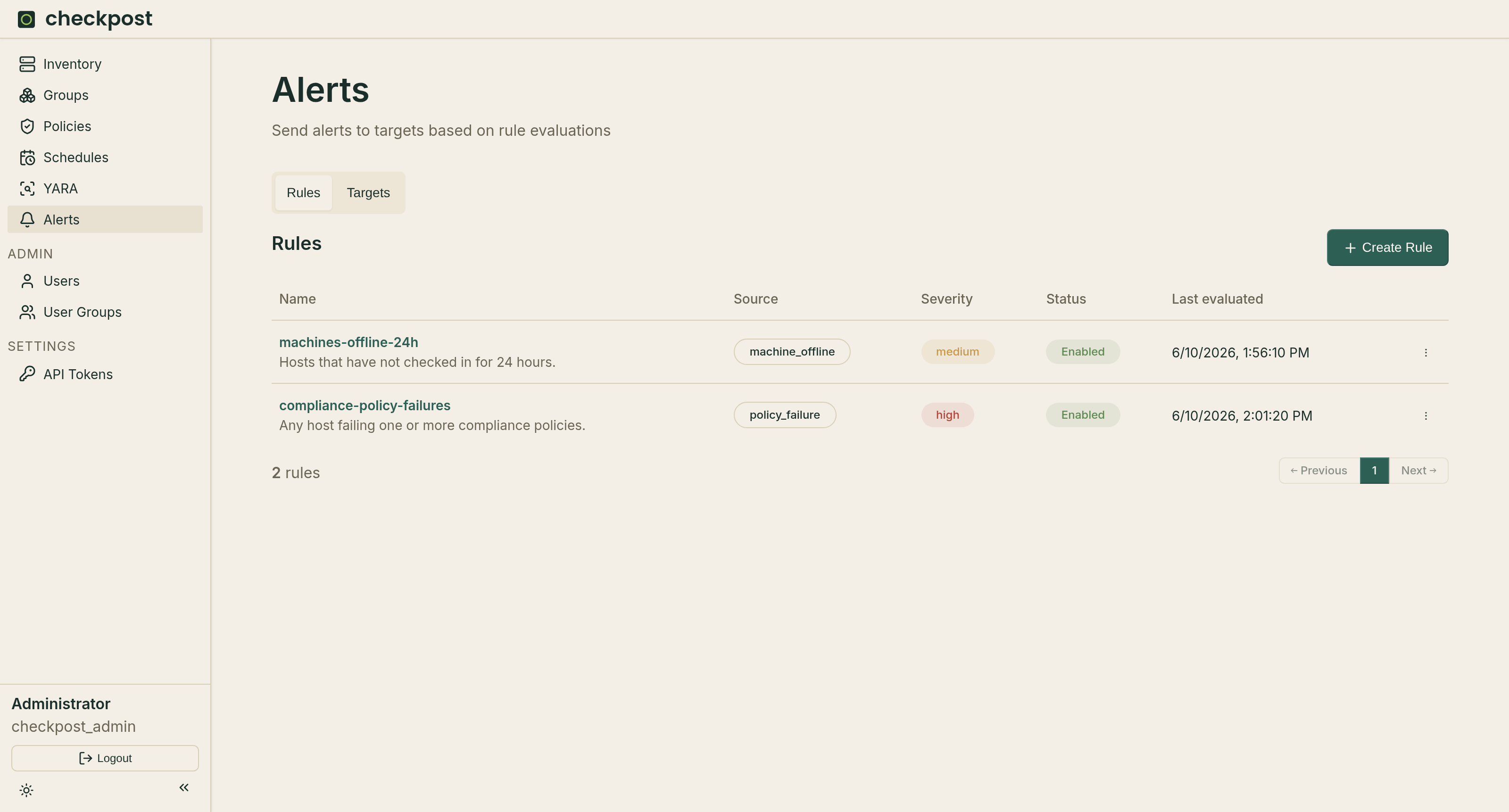
Rules and targets
The Rules tab defines what to watch. Checkpost currently supports two sources:
- Policy failure — machines that are failing a policy. Rules can filter by policy, machine group, and severity.
- Machine offline — machines that have not reported within a threshold (default 24h).
The Targets tab configures webhook or SMTP delivery. SMTP uses the global relay under [alerts.smtp]. A target's recipients may be literal addresses, user-group:<name>, or owner, which resolves to the affected machine owner's email.
How evaluation works
The engine wakes on a short internal tick and evaluates each rule that is due according to its evaluation interval. On every evaluation it re-runs the rule's source query. The current set of matches is then reconciled against the rule's persisted state:
- A match that is newly seen becomes pending (or fires immediately when
foris0). - A match already pending is promoted to firing once enough time has elapsed.
- A match that was firing keeps firing, and re-notifies on the repeat interval.
- A match that has disappeared from the query is resolved, and its state is discarded.
Rules send both firing and resolved notifications. The repeat interval controls how often a still-firing alert re-notifies.
The for duration
The for value delays notification until a condition has held continuously for that long. It exists to suppress transient failures, a policy that fails once and immediately recovers should not page anyone.
When a match first appears, Checkpost records the time it was first seen and marks the alert pending. On each later evaluation it checks whether now - first_seen has reached the for duration. Once it has, the alert transitions to firing and notifies. A for of 0 fires on the first evaluation with no pending period.
Note
If the match disappears from the query for even a single evaluation, its pending state is deleted and the for timer resets to zero. When the condition reappears it starts a fresh pending period.
Interaction with stale policy data
This reset behaviour matters most for policy-failure rules, because a policy result is only counted while it is fresh.
A policy result is considered stale once its last check is older than app.policy_stale_after. The alert engine excludes stale results from policy-failure evaluation entirely.
The consequence: a policy-failure alert with a for duration only fires if the machine reports the policy as failing and fresh on every evaluation across the whole for window. If a machine goes silent long enough for its result to pass app.policy_stale_after, the match drops out, the pending state is deleted, and the for countdown restarts from zero when the machine next reports the failure.
Note
Keep for comfortably larger than app.policy_stale_after, and keep app.policy_stale_after larger than how often machines actually report. With, for example, policy_stale_after = 72h and for = 7d, the alert tolerates reporting gaps of up to three days without resetting the week-long timer. If for were shorter than the reporting cadence, or policy_stale_after shorter than it, the timer could reset before it ever completed and the alert would never fire.