Inventory
Inventory lists enrolled machines and their last-seen state. Search by hostname, filter by platform or owner, or show only assigned or unassigned machines.
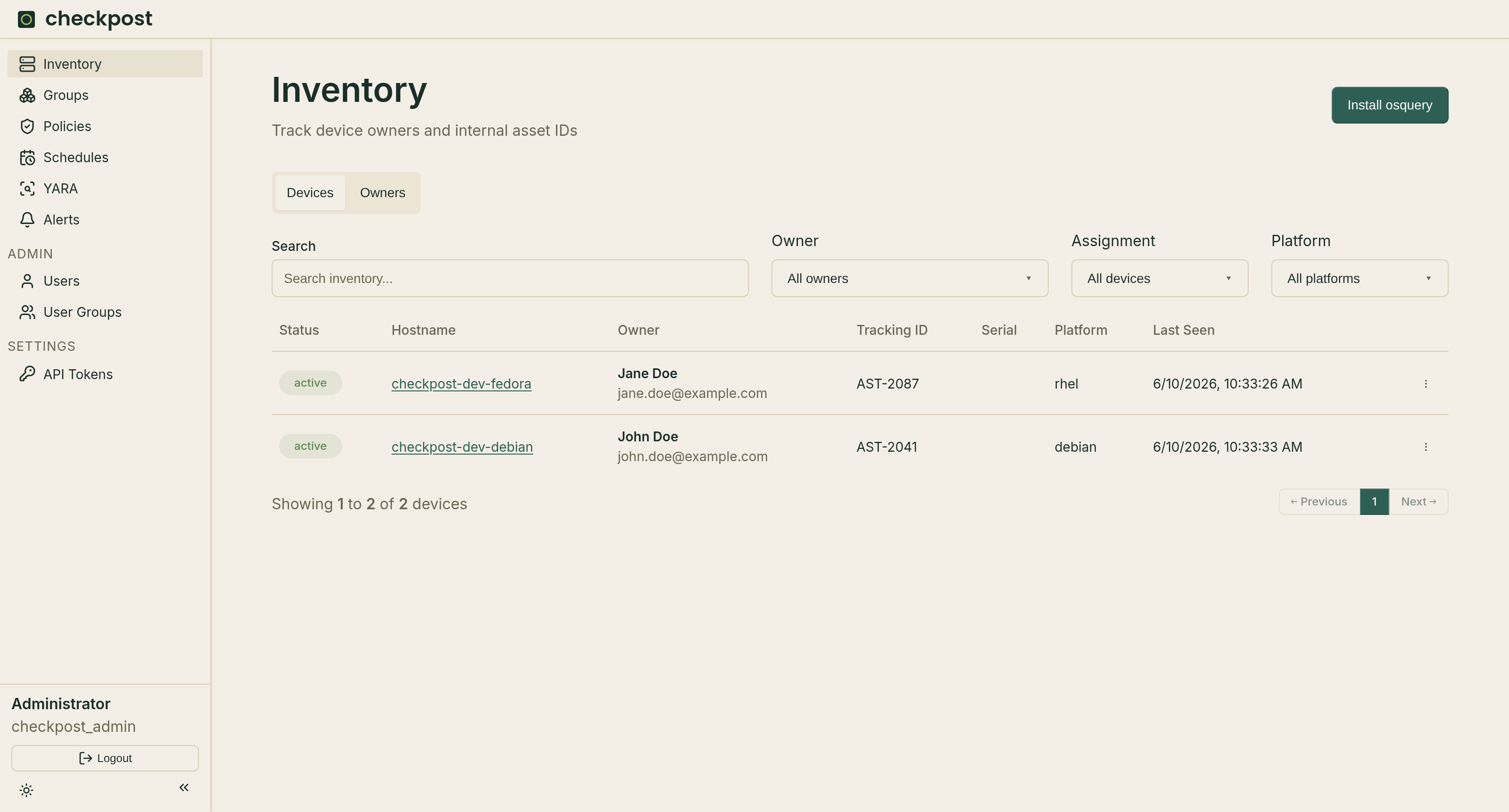
The Owners tab keeps contact and organizational details separate from machine records. Assign an owner, internal tracking ID, and notes from the machine inventory editor.
Use Install osquery to open the enrollment instructions generated from the server configuration. See setup for the required HTTPS and package settings.
Machine details
Select a machine to open its detail page:
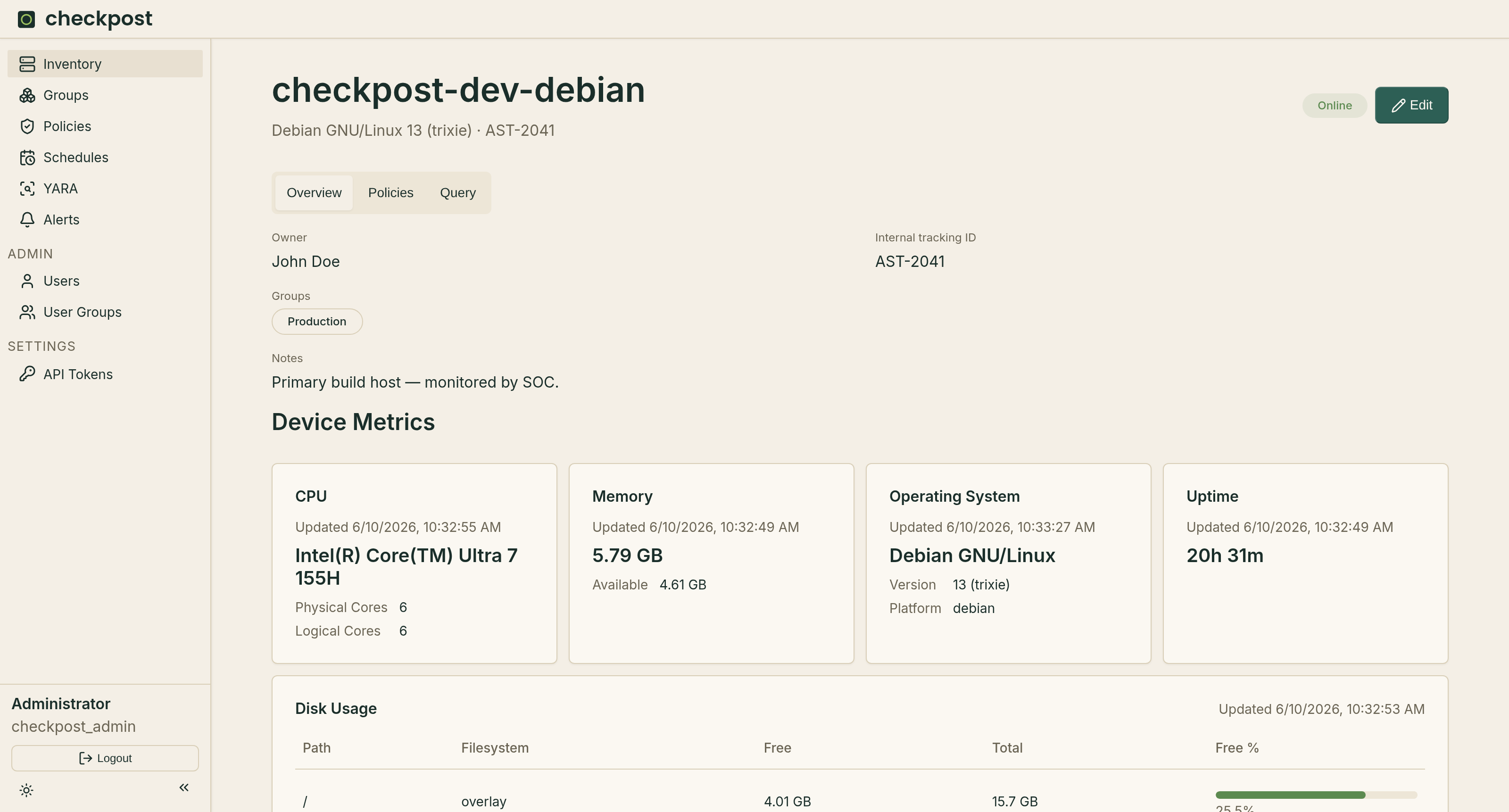
- Overview shows operating system and hardware metrics. Users with update access can change the owner, groups, tracking ID, and notes.
- Policies shows the machine's current policy posture.
- Query runs live osquery SQL and keeps a query history.
Live queries depend on the host being online. Checkpost does not limit query cost beyond what osquery accepts, so test expensive queries on a small group first.
Machine Groups
Machines can be assigned groups which can be used to target scheduled queries and policies.
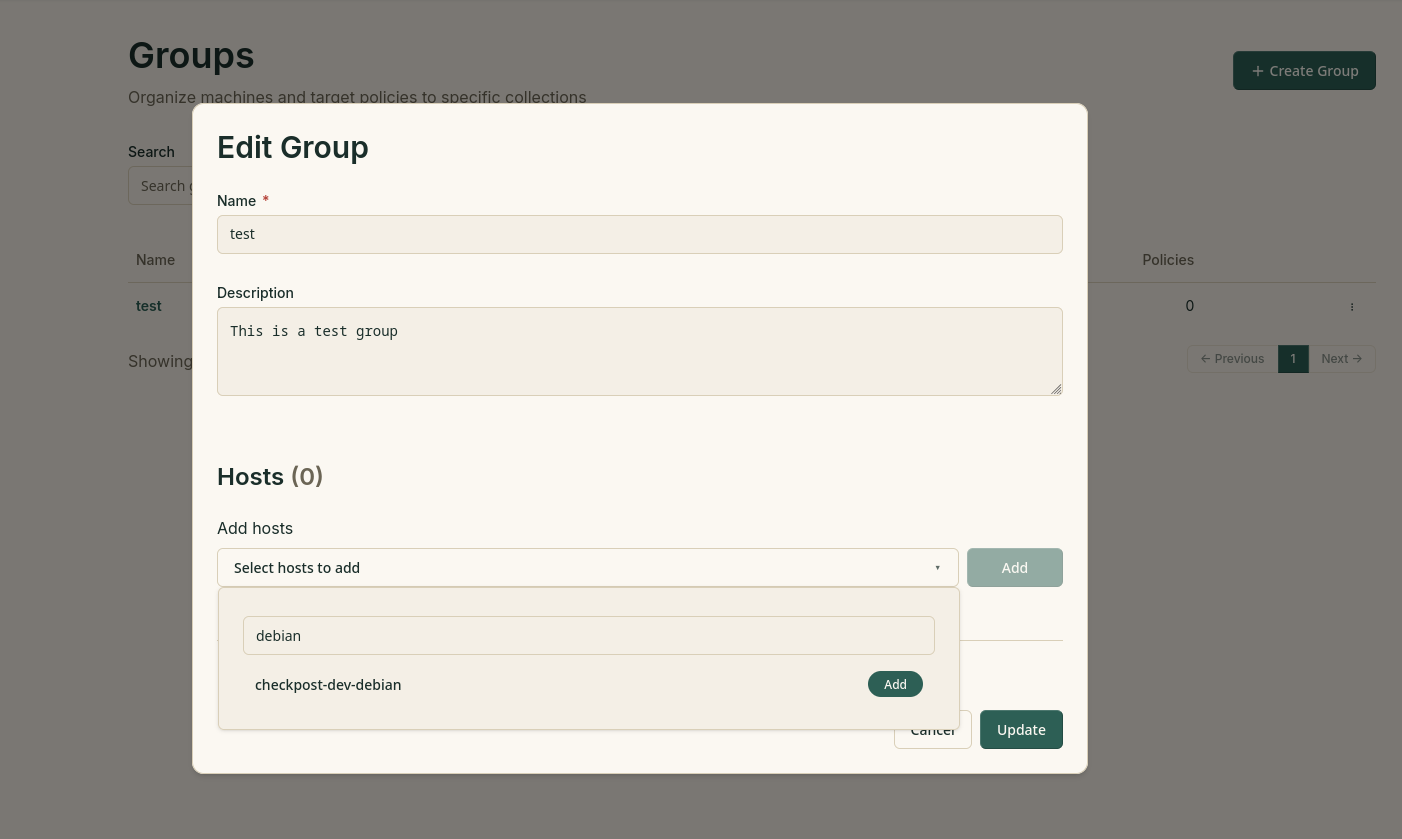
Create a group with a name and description, then assign machines from the group editor or the machine details page. Deleting a group removes the grouping record; it does not delete its machines.